
In short
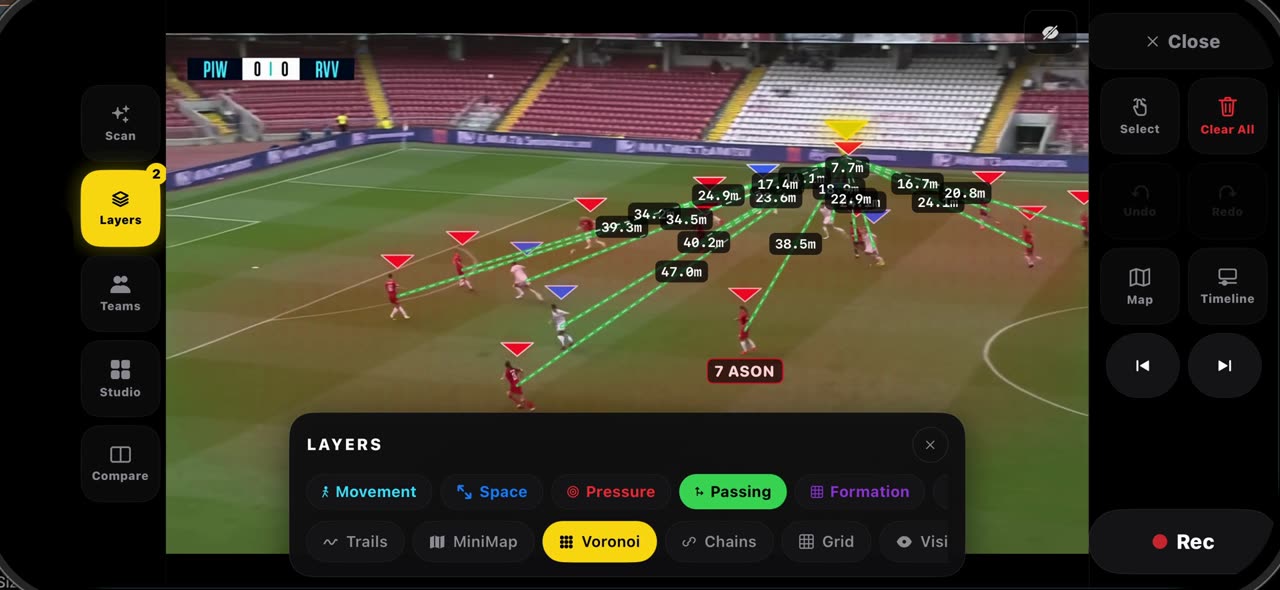
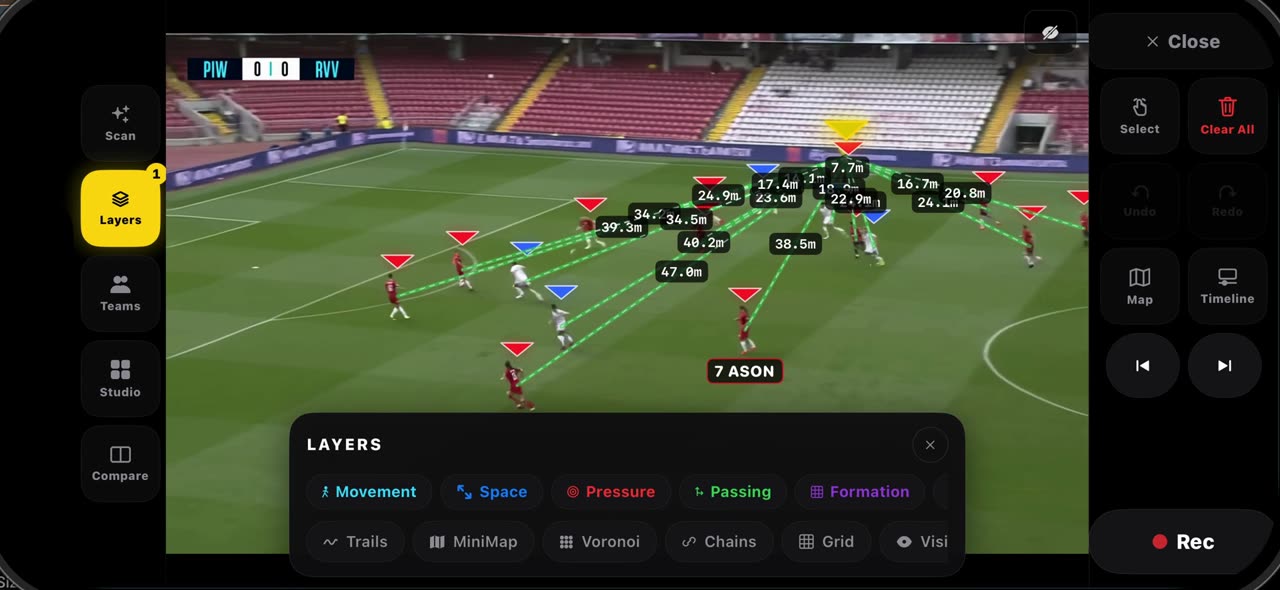
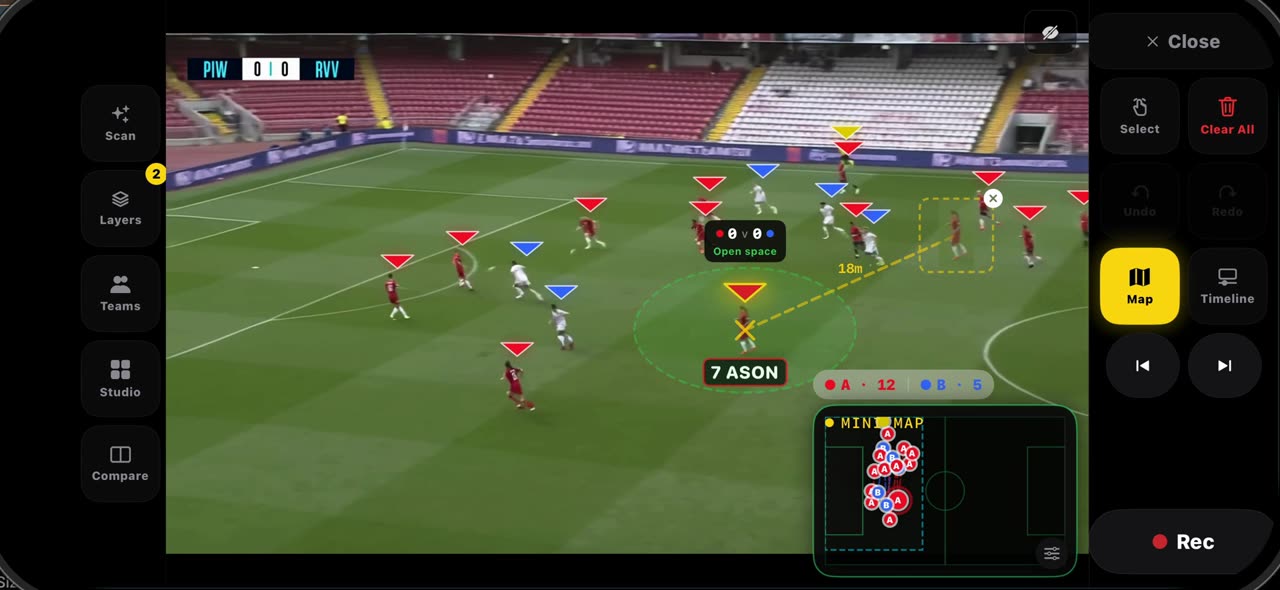
Open Layers on a frozen frame. Passing draws every lane from the ball carrier with its length in metres, because the pitch was calibrated at the freeze. Voronoi splits the pitch into the areas each player reaches first, so you see who owns the space and where the gap is. Pressure shows how tight the carrier is pressed, the Grid lays thirds and lanes over the pitch, and the mini map puts the whole pitch in the corner, seen from above. Every layer you switch on stays in the frame and records into the clip. Everything stays on your device. iPhone and iPad.
Step by step
Passing lanes
Open Layers and tap Passing. Every lane from the ball carrier is drawn on the frame, with its length in metres, because the pitch was calibrated at the freeze.
On screen: Layers → Passing: every open lane from the carrier, with its length in metres.
Who owns the space
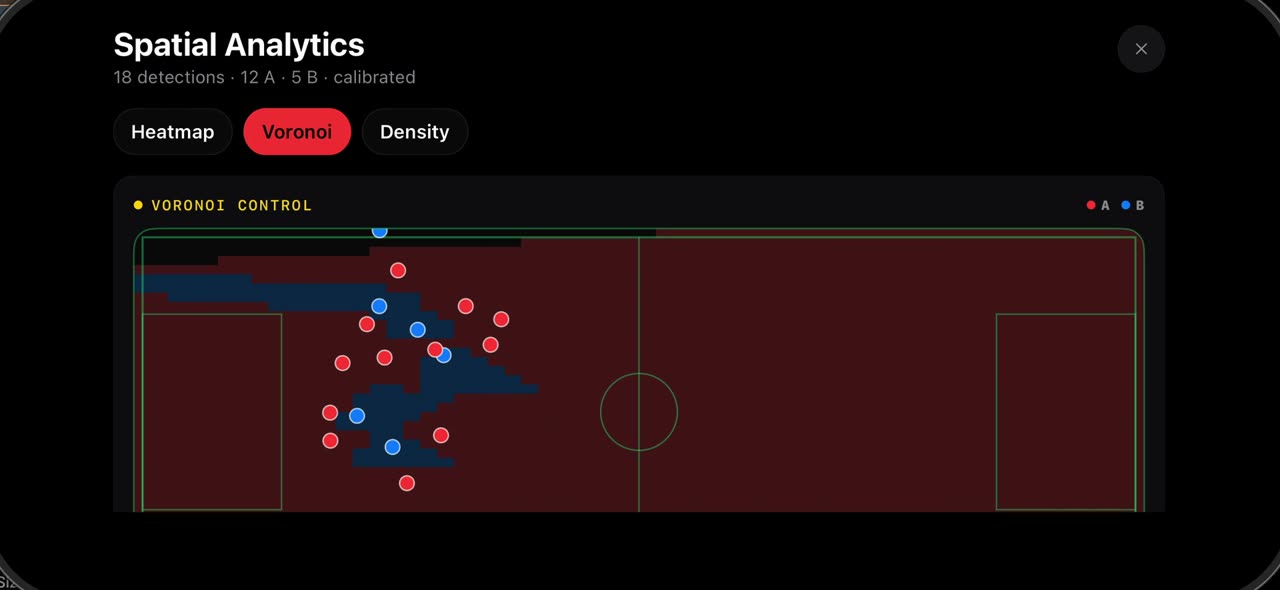
Voronoi splits the pitch into the areas each player reaches first. One look, and you see who owns the space, and where the gap is.
On screen: Voronoi: the pitch split into the areas each player reaches first.
Pressure and grid
Pressure shows how tight the carrier is pressed, and the Grid lays thirds and lanes over the pitch, so you can talk about zones instead of pointing.
On screen: Pressure shows how tight the carrier is pressed. Grid lays thirds and lanes over the pitch.
The mini map
The mini map puts the whole pitch in the corner, seen from above, with every player on it. Every layer you switch on stays in the frame and records into the clip.
On screen: MiniMap: the whole pitch in the corner, from above. Layers record into the clip.
What you need
- An iPhone or iPad with iOS 17 or later (or a Mac).
- TacticalSnap from the App Store. It is free to download and every analysis tool is free.
- A match video in Photos or Files. Any camera works, even a phone on the touchline.
Try it on your own footage
TacticalSnap runs the whole loop on an iPhone or iPad, on the device. Analysing is free and unlimited; exporting video is the only paid step.
More in this section
 0:34
0:34How the pitch is calibrated in TacticalSnap, and what it gives you
When you freeze a frame, the lines of the pitch are read and the frame is calibrated by itself — no corners to tap; the badge at the top says when…
 0:34
0:34How to use ghost players and Connect in TacticalSnap
Hold your finger on a player on a frozen frame and pick Ghost: a translucent copy of him, cut from the frame, appears next to the real one with a…
 0:33
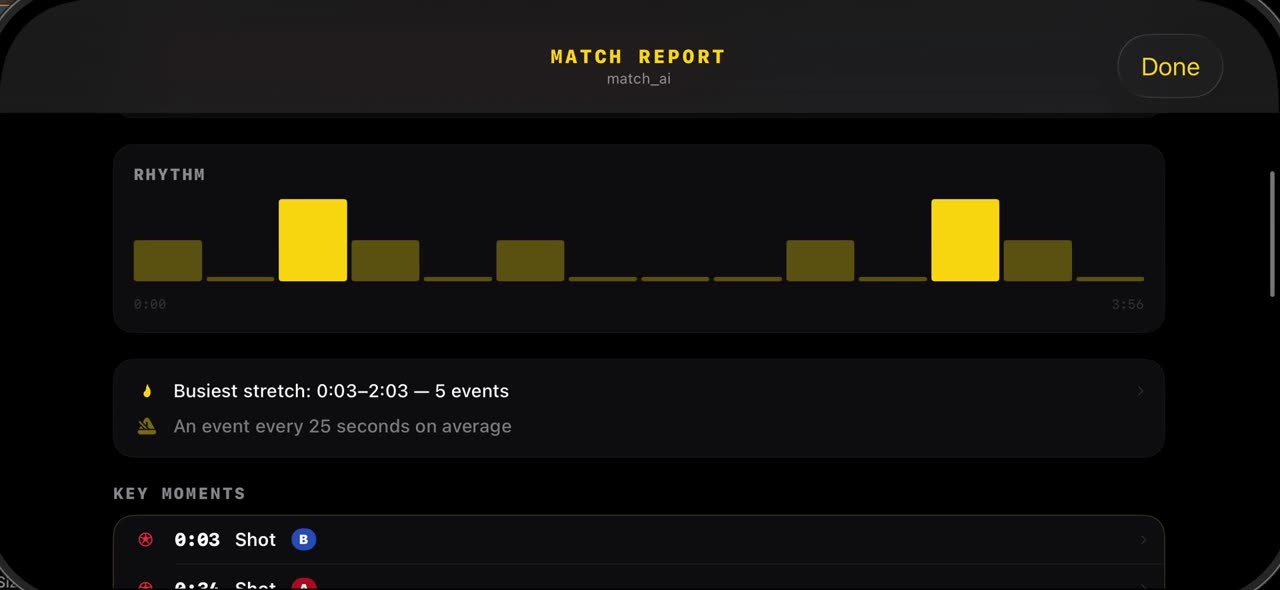
0:33How to read the match report in TacticalSnap
After the scan, open Studio and tap Match Report: the shots the scan found, the possession split and the rhythm of the game are already there, from…
 0:33
0:33How to see where your team played: heatmap, Voronoi and density in TacticalSnap
Open Studio and tap Spatial Analytics.
 0:38
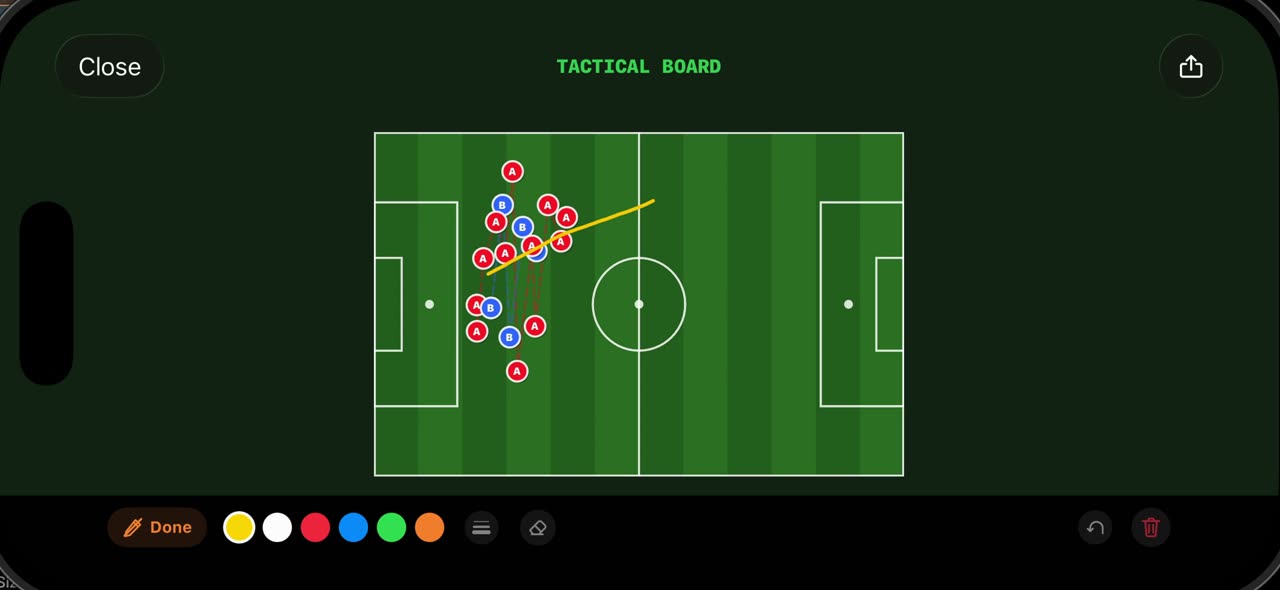
0:38How to use the Tactical Board and Hand-Drawn mode in TacticalSnap
Open Studio on a frozen frame and tap Tactical Board: the frame is redrawn as a 2D board from above, with every player the scan found placed where…
 0:38
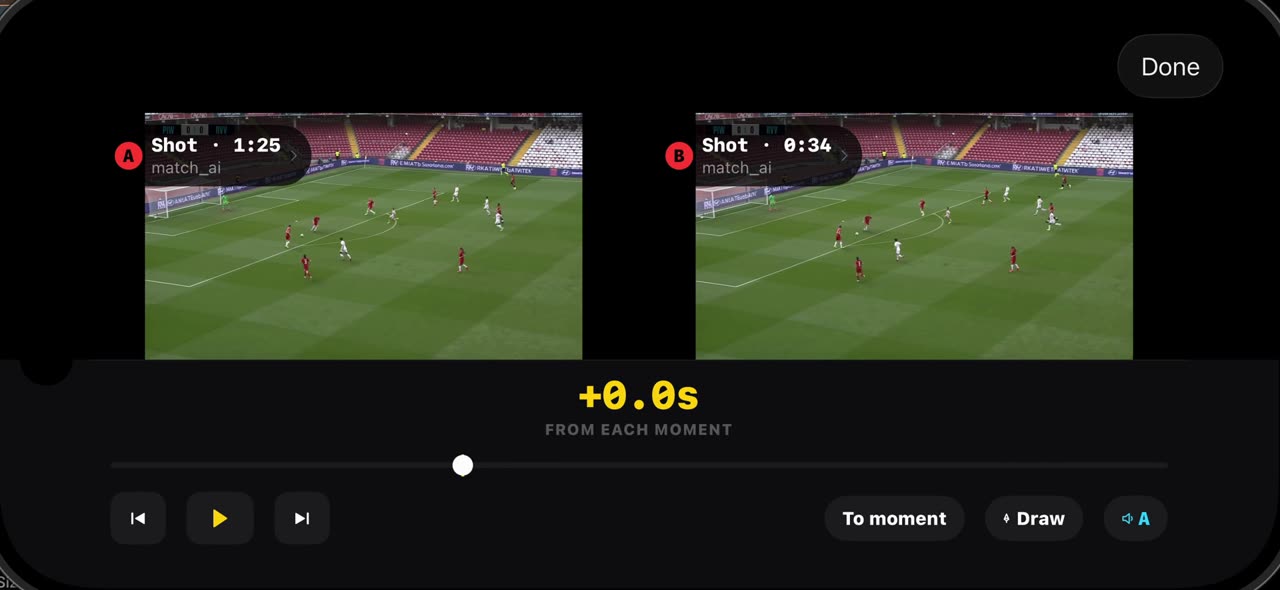
0:38How to compare two moments of a match in TacticalSnap
Compare puts two moments of your own match side by side.