On-device film study

Scan the film.
Freeze the play.
Coach it.

Point TakticalSnap at film you already have. Your phone breaks down the game like a film-room assistant — tracking all 22, marking every snap, turning a still frame into a coaching point. No end-zone rig, no cloud, no account.

  • On-device AI
  • No account
  • Works offline
Real capture · 34s
2Sports
0Uploads
8Languages
iOS 16+iPhone & iPad

How it works

Three moves, and the film is already broken down.

No tagging marathon, no laptop, no export queue. Import, let it scan, then stop on the play you want to teach.

  1. 01

    Import the film

    Pick a game from your camera roll. A full broadcast, a single drive, sideline video shot from the stands — if it plays, it scans.

  2. 02

    Let it scan

    The scanner walks the whole video on-device: finds the players, splits the two sides by jersey color, and drops a marker on every snap and big play.

  3. 03

    Freeze and coach

    Stop on any frame. The overlays are already there. Draw the point, record the walkthrough, export the clip.

The core move

Freeze any snap.
See everything.

This is the app's own freeze-and-analyze choreography, running right here. Tap the field to freeze it and watch the scan layer in.

LIVE Tap to freeze the frame
Tracking
9 players
Shape
passing lanes
Heatmap
density zones
Shot
play marked

Inside the app

A film coordinator's whole desk — automatic.

Everything below is the real app, captured on a phone. No mockups.

Auto-scan

The scan does the first pass for you

Start a project and the scanner reads the entire game before you touch anything — on the Neural Engine, at your phone's own pace.

  • Every snap marked. Snaps and big plays land on the timeline, so you jump drive to drive instead of scrubbing.
  • Sides split automatically from jersey color — no roster entry, no manual tagging.
  • Broadcast-aware. Camera cuts and replays are detected, and the scanner still finds the snap when the booth holds the wide shot until the last second.
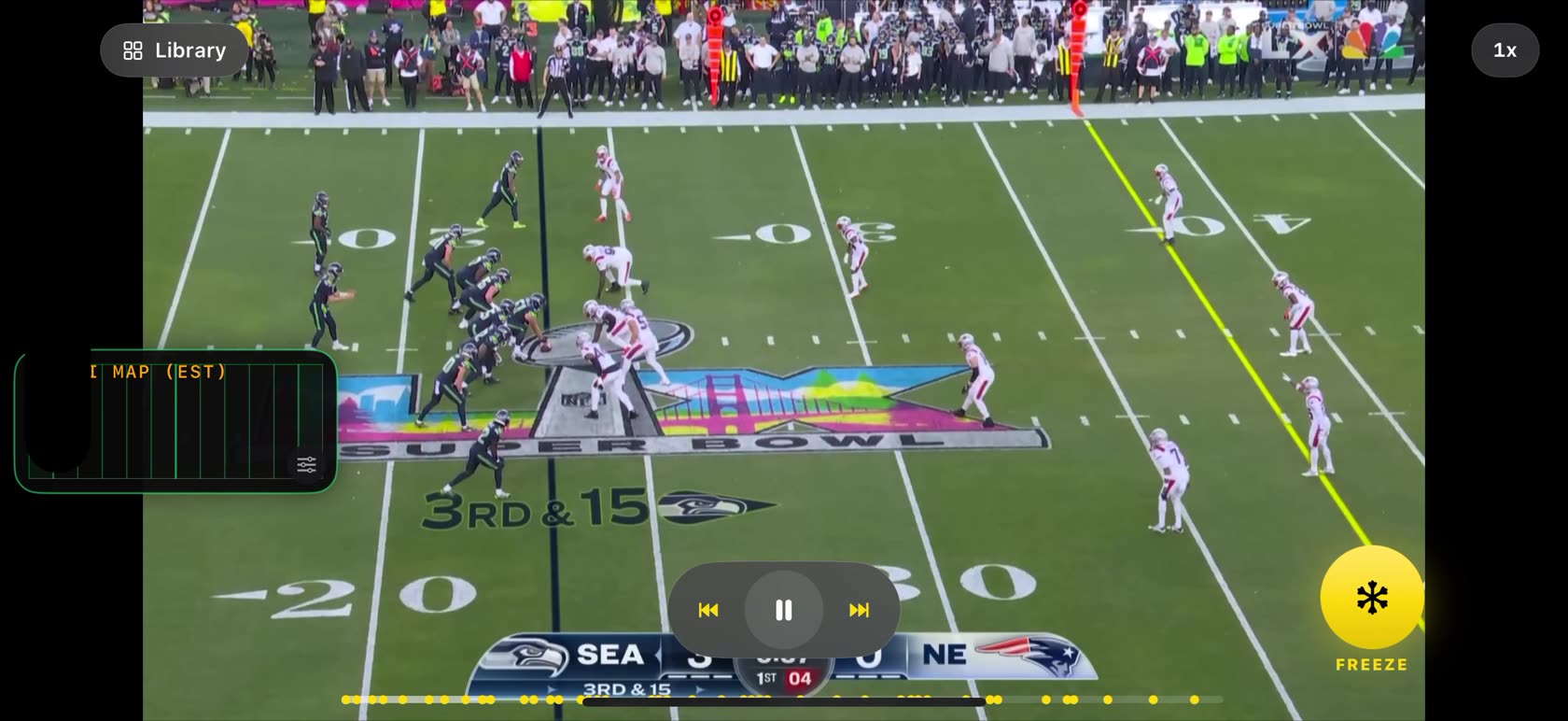
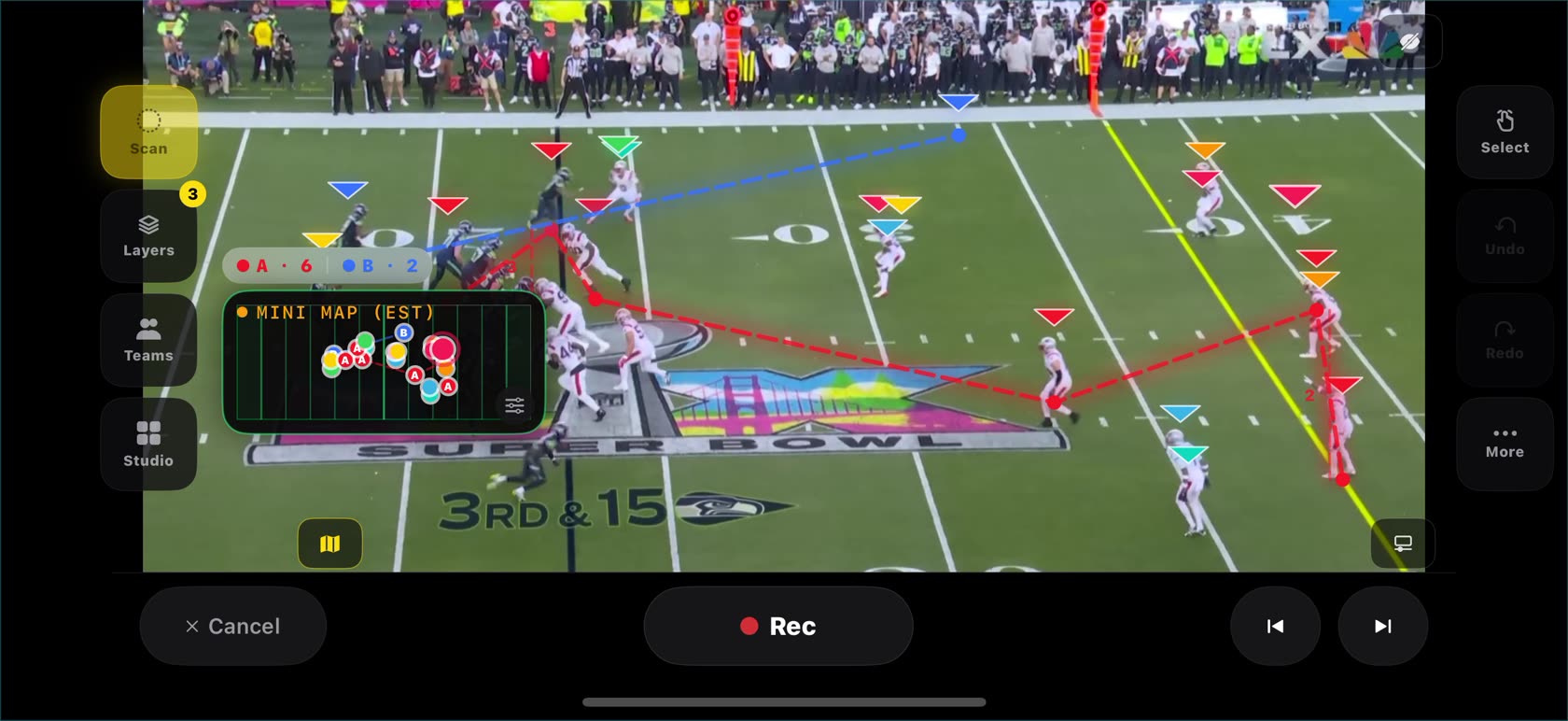
TakticalSnap scanning a football broadcast, with the freeze control and detected play markers on the timeline

Freeze

Stop anywhere. All 22 are already found.

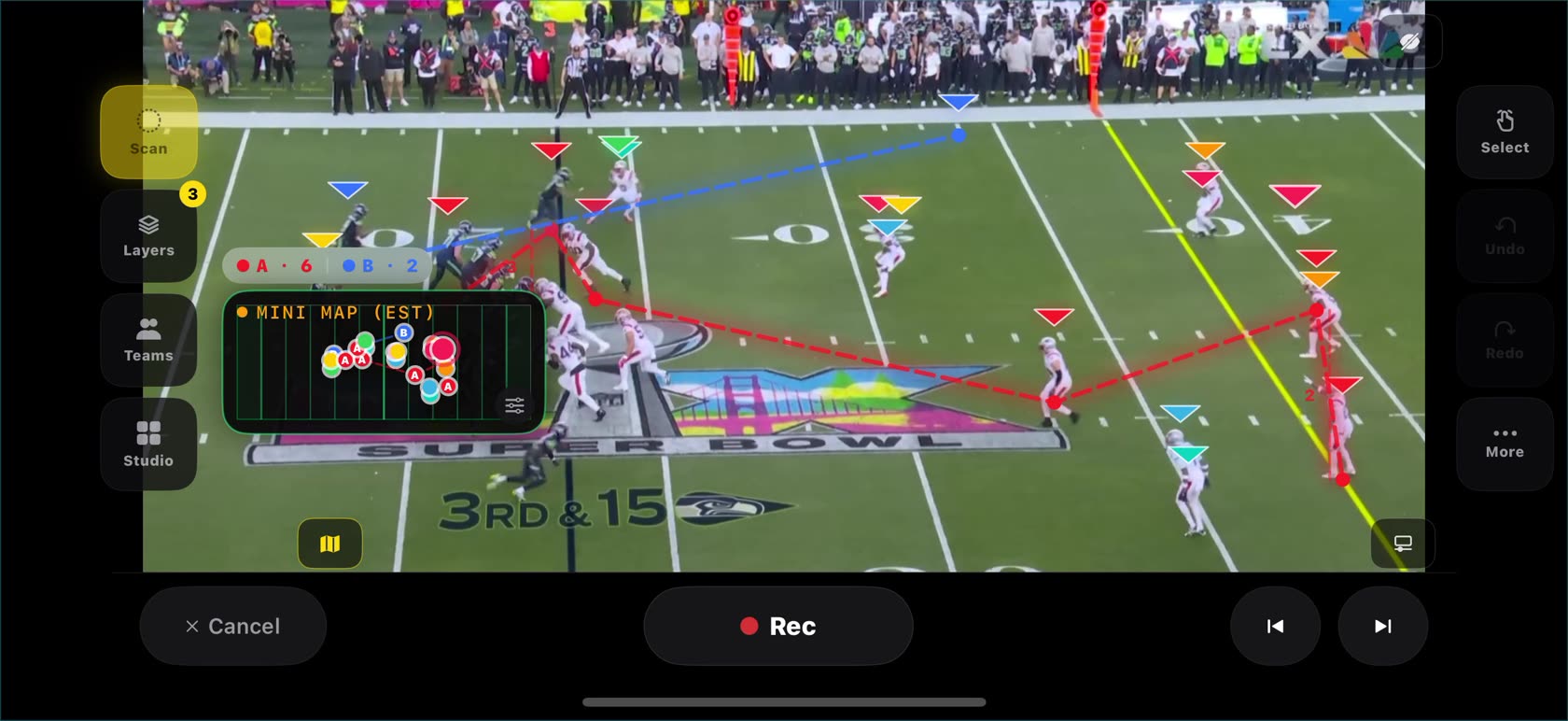
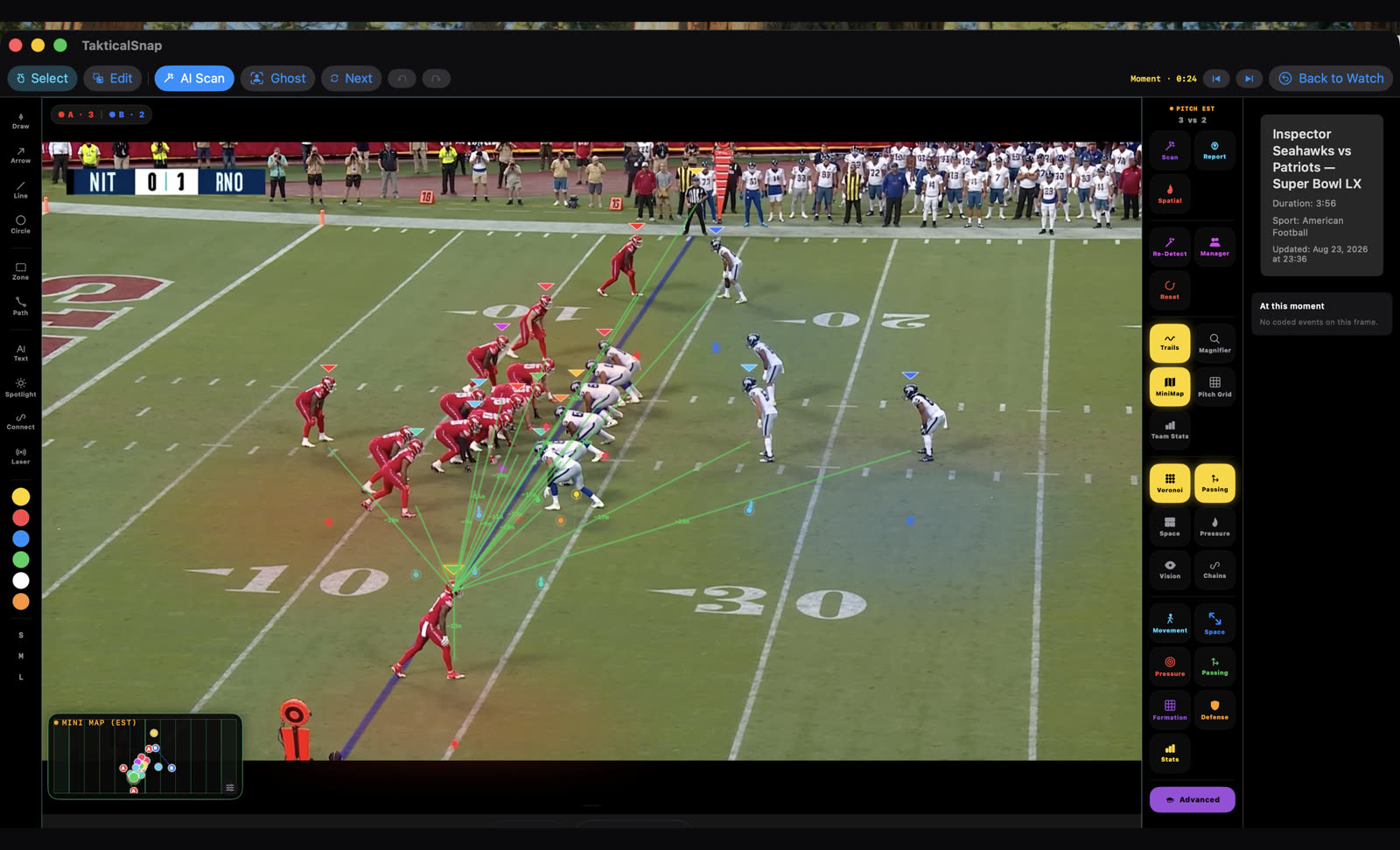
Freezing is the core move: the frame holds and every tracked player is boxed, assigned a side and plotted on the field map in the same instant.

  • Side markers and counts for offense and defense, straight from the scan.
  • Live field map — a bird's-eye read of the formation while the frame is held.
  • Frame-step forward and back to land on the exact moment of the snap.
A frozen football frame with every player boxed, side markers, motion trails and the estimated field map overlay

Team intelligence

Space, leverage and spacing — as layers

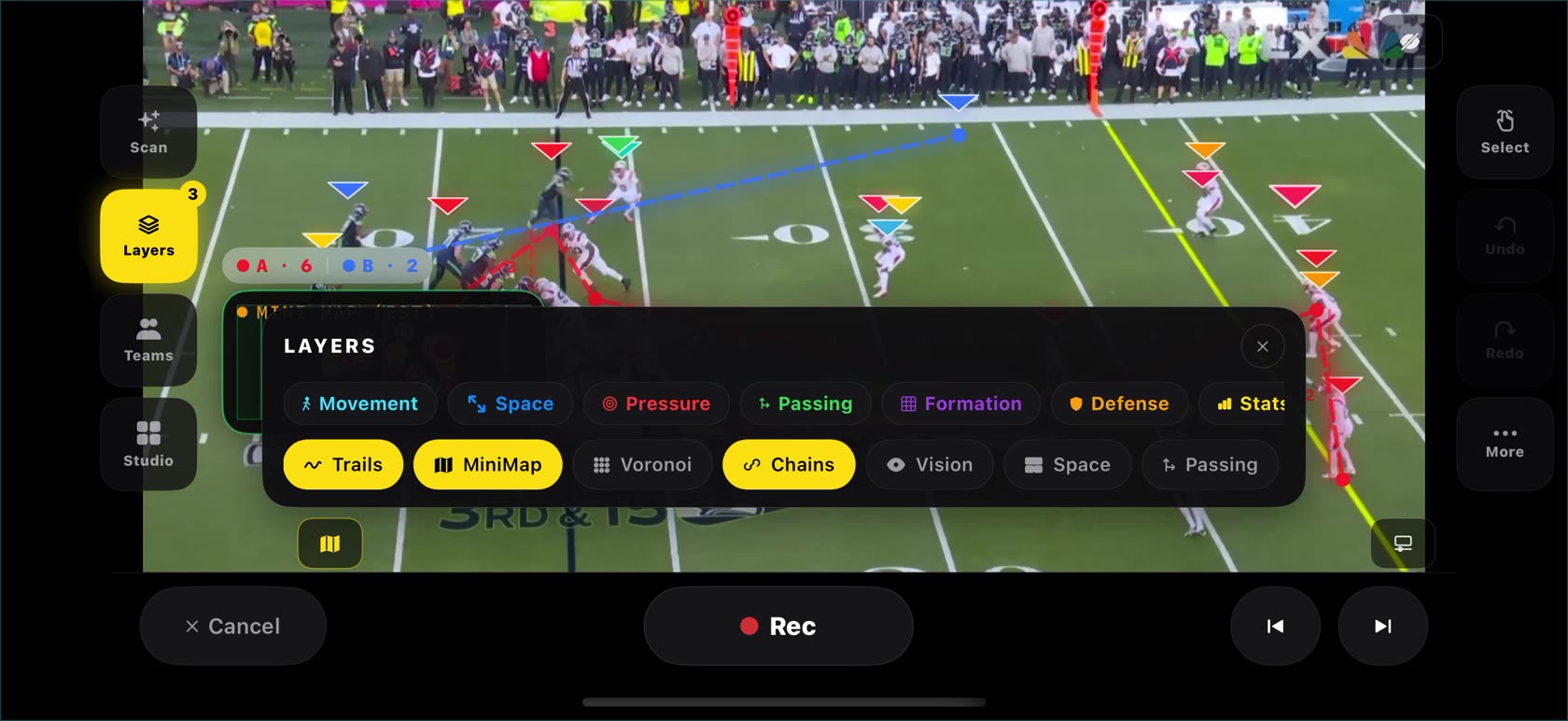
One panel, every read. Toggle what you need for the point you're making and leave the rest off.

  • Field control — velocity-aware zones showing who really owns which grass on the play.
  • Trails, grid, vision and space layers, plus live width and depth numbers for the formation.
  • Camera-motion compensated, so overlays hold their place when the broadcast pans with the play.
The Layers panel open over a frozen football frame with movement, space, pressure, passing, formation, defense and stats toggles

Telestrate & record

Draw the coaching point, then record it

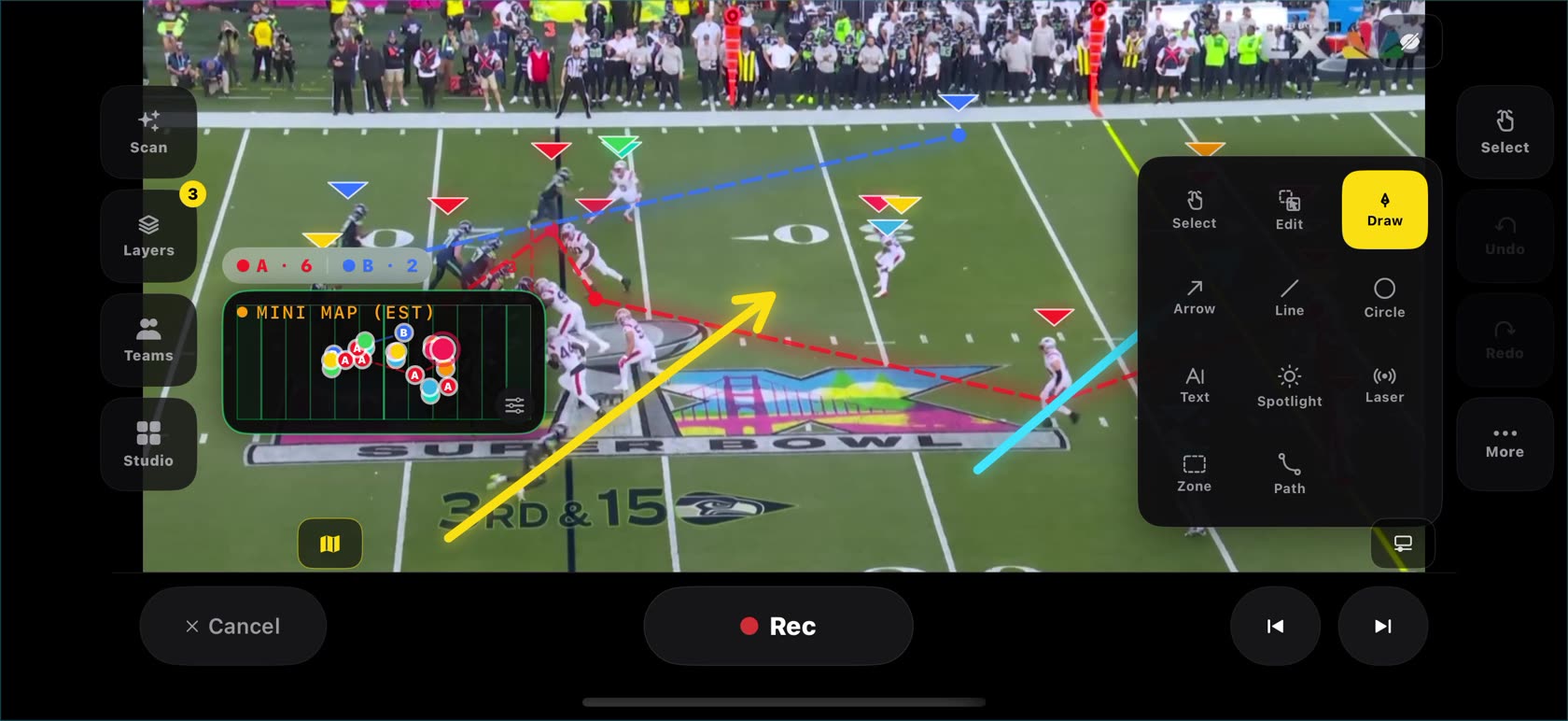
Arrows, lines, circles, zones, paths, spotlight and laser — finger or Apple Pencil. Hit Rec and the whole walkthrough becomes a clip.

  • Shapes that snap clean so a fast route line still looks deliberate.
  • Voice-over with transcription for narrated install and correction tape.
  • Export with overlays baked in — send it to the position group in one tap.
Telestration tools open over a frozen football frame with a yellow arrow and cyan line annotation
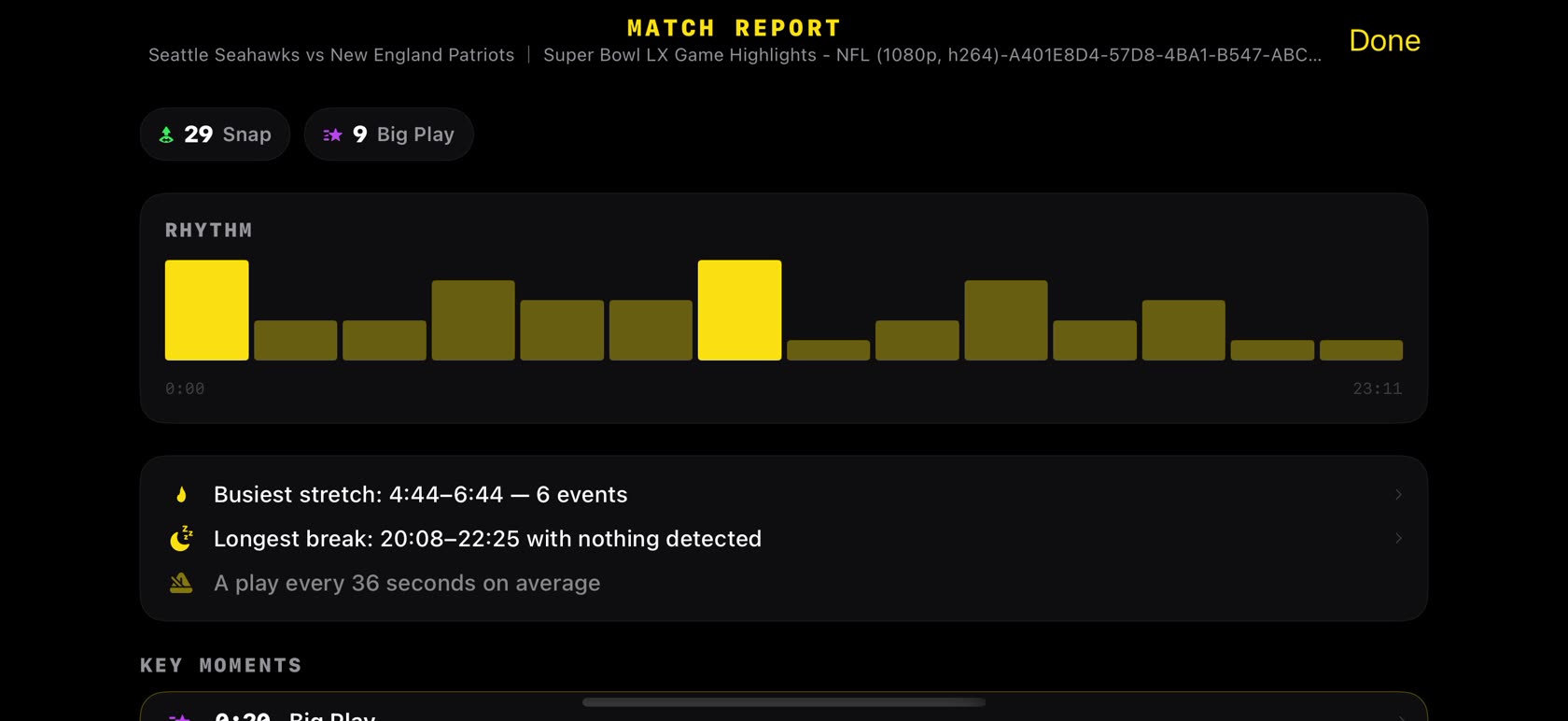
The game report screen showing snap and big-play counts, a tempo chart and key moments from an NFL broadcast

Game report

Snap and big-play counts, tempo and the busiest stretch of the game — built from the scan, with every moment tappable to seek straight to it.

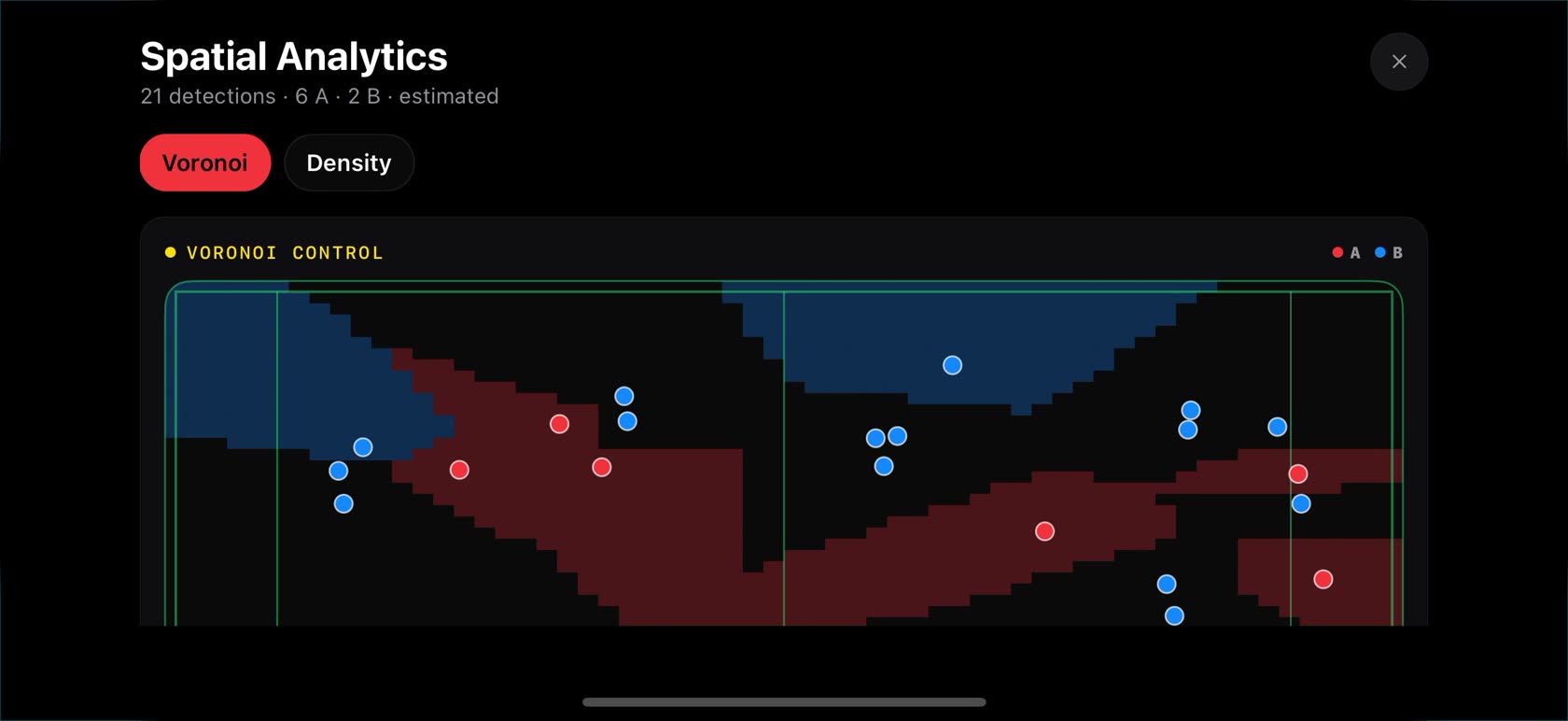
Spatial analytics showing control split between the two sides of a football play

Spatial analytics

Control and density maps for offense and defense side by side, so formation and field position stop being a matter of opinion.

Motion trails drawn behind tracked players on a football field

Motion trails

Where each player came from, drawn straight from the scan — routes, pursuit angles and the space they left behind.

Built for the gridiron

Tuned for football, not adapted to it.

Pick football on first launch and the whole app retunes — the scanner looks for snaps, the timeline fills with plays, and the map is a gridiron, not a rectangle.

Football

Play by play, the way the game is actually coached. The scanner finds the snap even when the broadcast hides the field until the last second, and every play lands on the timeline ready to teach.

SnapsBig plays Gridiron field mapFormations

Soccer is in there too

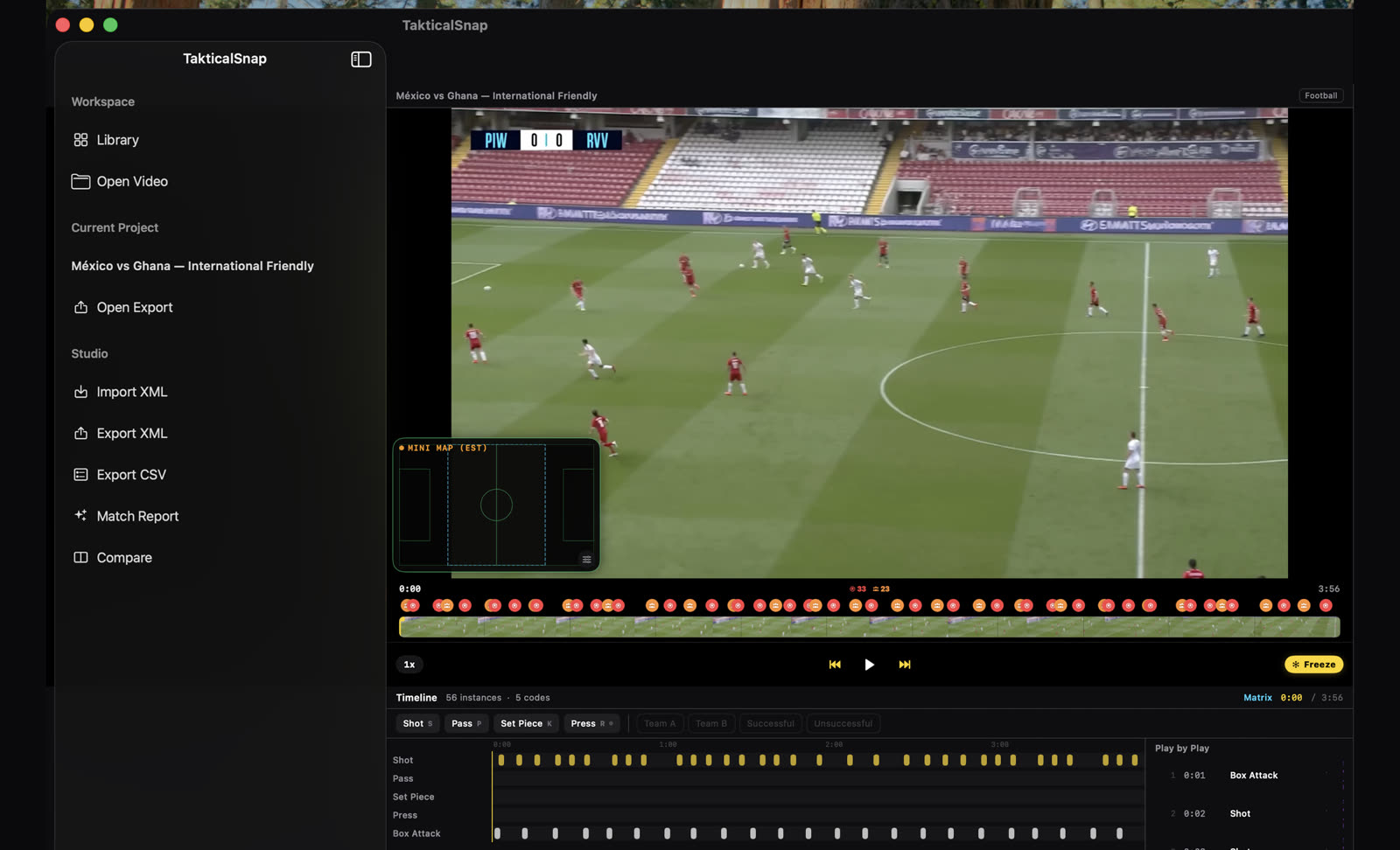
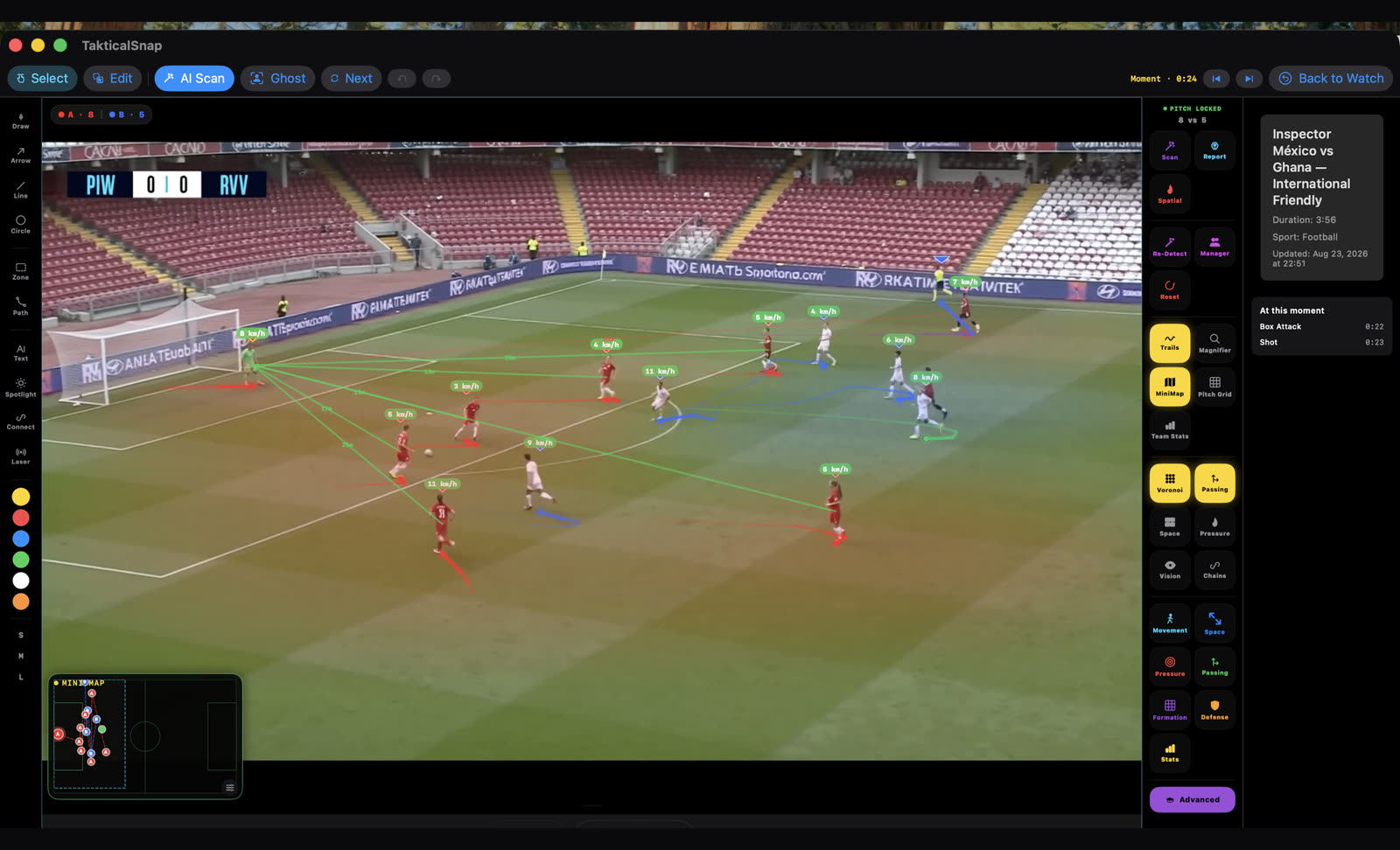
The same engine ships with a soccer mode — shots, box attacks and pitch control — if you coach both, or your program shares a device with the soccer staff. Switch sports any time from the editor menu.

ShotsBox attacks Pitch controlHeatmaps

Full toolkit

Everything else that ships in the box.

Player tracking

Follows players through traffic and survives occlusions.

Play timeline

Every detected snap as a tappable marker.

Field map

Bird's-eye positions for both sides, live.

Spatial analytics

Control and density, offense against defense.

Chalkboard

A standalone field canvas with formation templates.

Highlight reels

Cut, telestrate and export for the group chat or socials.

Voice-over

Narrate a breakdown, with transcription for captions.

Eight languages

English, Spanish, Portuguese, German, French, Italian and Turkish.

Privacy

Nothing leaves your phone.

The breakdown is not a service you upload to — it is code running on your device. Your film, your players, your notes stay where you shot them.

On-device analysisTracking, side detection, play detection and heatmaps all run locally.
No account, everNo sign-up, no profile, no password to lose.
Your film stays yoursNothing is uploaded. What you export is the only thing that leaves.

Pricing

Every tool is free. Exporting is the gate.

Scan, freeze, break down and telestrate as much as you like without paying. Pro removes the watermark and the daily export limit.

Free
$0

The whole toolkit, ad-supported exports.

  • Full scan, freeze and breakdown
  • All telestration and layer tools
  • Watch an ad to earn one watermarked export per day

No card required

Pro Monthly
$9.99 /mo

Month to month, cancel whenever.

  • Unlimited exports
  • No watermark
  • Completely ad-free

Weekly also available

Best value Pro Annual
$39.99 /yr

Seven days free, then $39.99 a year.

  • Everything in Pro Monthly
  • 7-day free trial
  • Roughly a third of monthly

Cancel any time

Lifetime
$99.99

One payment, no renewals.

  • Everything in Pro, forever
  • Future updates included
  • Nothing to cancel

One-time purchase

Prices in USD. Subscriptions renew until cancelled in your App Store settings. A weekly plan at $6.99 is also offered inside the app.

Questions

Before you download.

Does it work with sideline video shot on a phone?

Yes — that is the point. Anything in your camera roll works: a phone on a tripod, video shot from the stands, a broadcast recording, a Hudl download. A steadier, wider frame gives the scanner more to hold on to, but no end-zone tower or tagging rig is needed.

Do I need an internet connection?

Not for the breakdown. Scanning, tracking, side detection, overlays and export all run on your device, so the app works on the team bus or on a sideline with no signal. A connection is only used for App Store purchases and, on the free tier, for the optional rewarded ad that unlocks an export.

Is this only for football?

Football is what it is tuned for, and what this page is about. The same app also ships a soccer mode, and you switch sports from the editor menu at any time — the scanner, the play types and the field map all retune to the sport you picked.

Do I have to tap every player myself?

No. The scan finds the players and splits the two sides by jersey color before you start working. Tapping is there for when you want to single someone out — spotlight them, follow them, or measure their distance to a teammate.

What do I need to run it?

An iPhone or iPad on iOS 16 or later. The scan is a real computation — a newer device with a faster Neural Engine gets through a full game noticeably quicker.

What exactly is free?

Every breakdown tool: unlimited scanning, freezing, layers, telestration, the chalkboard, game reports and spatial analytics. Exporting video is the only gate — free users can earn one watermarked export a day by watching an ad, and Pro removes both the watermark and the limit.

Your next film session starts
with one frozen snap.

  • Free to break down
  • No account
  • iPhone & iPad